01
Defined the smallest complete loop
I started with the repeat-use sequence: make a plan, know what to do today, log without friction, see evidence of progress, and return with better context.

Build a training habit, not another spreadsheet.
A focused workout companion that turns a plan for your real week into a calm gym session and an honest view of progress.

Role
Product design + iOS
Platform
Native iPhone app
Built with
Swift + SwiftUI
Status
Shipped to App Store
Engineering overview
I built byOne as a local-first native iOS system: feature-focused SwiftUI surfaces sit on explicit training-domain models, so scheduling, logging, progression, analytics, backup, and sharing can derive from the same reliable data.
Feature layer
Onboarding
Plan-building decisions and the first-run experience
Dashboard
Daily workout, scheduling adjustments, streak, and recap
Gym Mode
Set logging, rest timing, recovery, and Live Activity
Analysis
Trends, personal records, and training summaries
Sharing
Story renderer, Instagram handoff, and native share sheet
History + Settings
Corrections, preferences, reminders, backup, and privacy
Shared domain
Training
Exercises, prescriptions, plans, and load progression
Scheduling
Calendar-aware workouts and training weeks
Progress
Completion records, metrics, persistence, and export
Profile
Lightweight local profile data
01
Feature-level views kept the daily workout, Gym Mode, analysis, and sharing experiences responsive and easier to evolve without one oversized view layer.
02
Plans, scheduled workouts, logged sets, completions, and metrics are distinct types—not incidental UI state—so multiple features derive from one source of truth.
03
Primary data is stored in Application Support as JSON. Each write is atomic and retains the previous valid version as a recovery copy before replacement.
04
If a saved file cannot be decoded, byOne preserves it instead of silently replacing a person’s training history with an empty state.
05
People can export readable JSON, validate it before restore, and explicitly control whether it replaces local training data.
06
ActivityKit, local notifications, and Live Activities add session context when available without becoming prerequisites for training.
07
Share visuals are rendered with ImageRenderer at 1080 × 1920, avoiding the blurred exports that result from scaling a preview screenshot.
08
Instagram Stories receives a platform-specific handoff when installed; the native iOS share sheet supports every other destination.
Correctness and QA
Swift Testing covers progression rules, scheduling behavior, calendar boundaries, and prescription parsing—not just the happy path.
Incomplete sessions remain as partial records instead of disappearing.
An interrupted session can resume without losing saved sets or the active exercise.
Automatic load increases are withheld after partial sessions or near-failure effort.
Schedule coverage extends forward without duplicating days or rewriting completed history.
The product thesis
Fitness trackers often make people choose between a generic program, a dense logging screen, and a dashboard that says very little. byOne is designed around the moment someone needs to know exactly what to do next.
The result is a private, local-first product loop: start with a plan that fits the week, focus during the session, and return to feedback that respects the work that was actually logged.
What I owned
My role spanned product strategy, information architecture, interaction and visual design, SwiftUI implementation, training-domain logic, local persistence, analytics, sharing, QA, testing, and release preparation. The product decisions and technical system were developed together rather than handed off between separate phases.
01
The first screen answers what to do next instead of making people decode a dashboard.
02
Gym Mode keeps the next useful decision within reach, without turning training into spreadsheet work.
03
Trends and personal records compare meaningful training data instead of overstating the result.
The complete loop
The information architecture follows the rhythm of a training habit, so each moment carries only the context someone needs next.
01
Build a training week around a real goal, schedule, equipment, and session length.
02
See the next useful workout, a flexible schedule, and the context to begin.
03
Log working sets one exercise at a time without losing momentum.
04
Understand training trends, records, and the wins worth sharing.
A plan that fits
Initial planning asks only for choices that materially change the recommendation: a goal, training days, equipment, session length, and a preferred starting point. The plan stays editable when a real week inevitably changes.

Flexible scheduling
Move a planned day or take a rest day without losing the balance of the wider training week.

Control when it matters
Swap a movement or create a custom one without having to abandon the session plan.
The daily surface
I treated Home as a state-aware decision surface rather than a calendar. A week strip supplies planning context, but the primary card changes according to what has really happened.
Preview the session, see prior results, edit the exercise list, then begin.
See the next planned session or intentionally choose an optional workout.
Resume the saved draft instead of forcing someone to begin again.
Review the result, restart if needed, or create a share card from a real milestone.

Gym Mode
Gym Mode is a dedicated, distraction-light workout environment: one exercise per page, persistent session context, and a clear action dock. It deliberately avoids making someone navigate a dense form between sets.
01Set-level logging
Working sets record weight, reps, units, and optional perceived effort without obscuring the next action.
02Useful session context
Elapsed time, completed sets, volume, rest timing, and the active exercise stay visible at a glance.
03Adaptable in the moment
A person can add an exercise during the workout when the plan needs to change around available equipment.
04Cautious load guidance
External load only increases after two complete sessions at the top of a prescribed rep range; near-failure effort and partial sessions hold the recommendation.
05Resilient by design
The active workout is a durable draft. Resume or Discard makes interruption explicit while preserving sets, timer state, elapsed time, and the active exercise.
06Graceful platform support
Live Activity context and notifications are useful additions on supported devices, not requirements for completing a session.
Feedback worth trusting
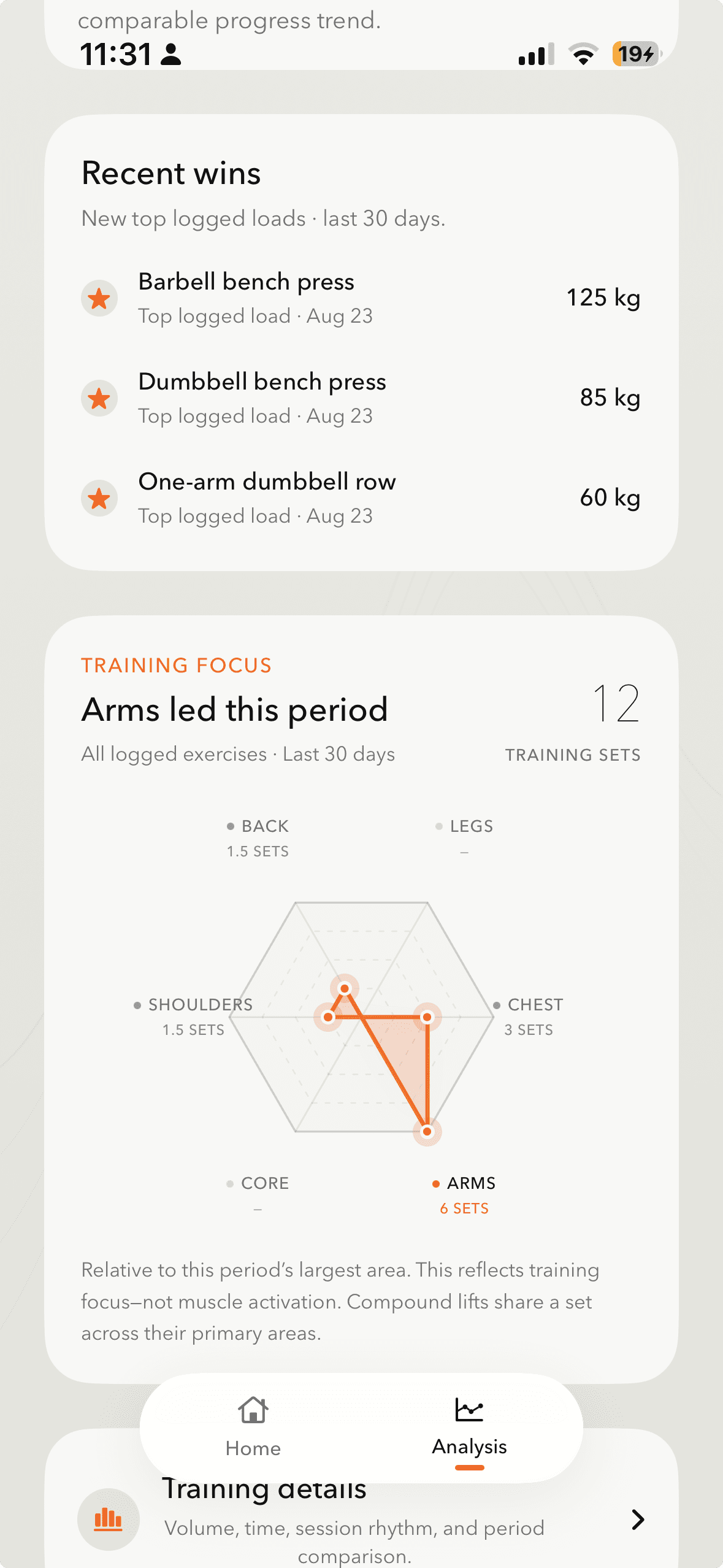
The Analysis tab turns history into a focused review across a month, three months, six months, or all time. I designed the metrics around data integrity—not around filling a dashboard with numbers.
01
Assisted and externally loaded movements are not silently merged into a single exercise trend.
02
The all-training trend shows weekly external-load work instead of implying unrelated sessions belong on one progression line.
03
Personal records are calculated from working sets and retain the previous best when a worthwhile comparison exists.
04
Incomplete sessions remain in a person’s history without being overstated as full completions.
05
The same underlying record can be viewed in pounds or kilograms without losing its original training history.
06
When a number would create a false comparison, the interface chooses a more appropriate measure—or none at all.
A deliberate sharing feature
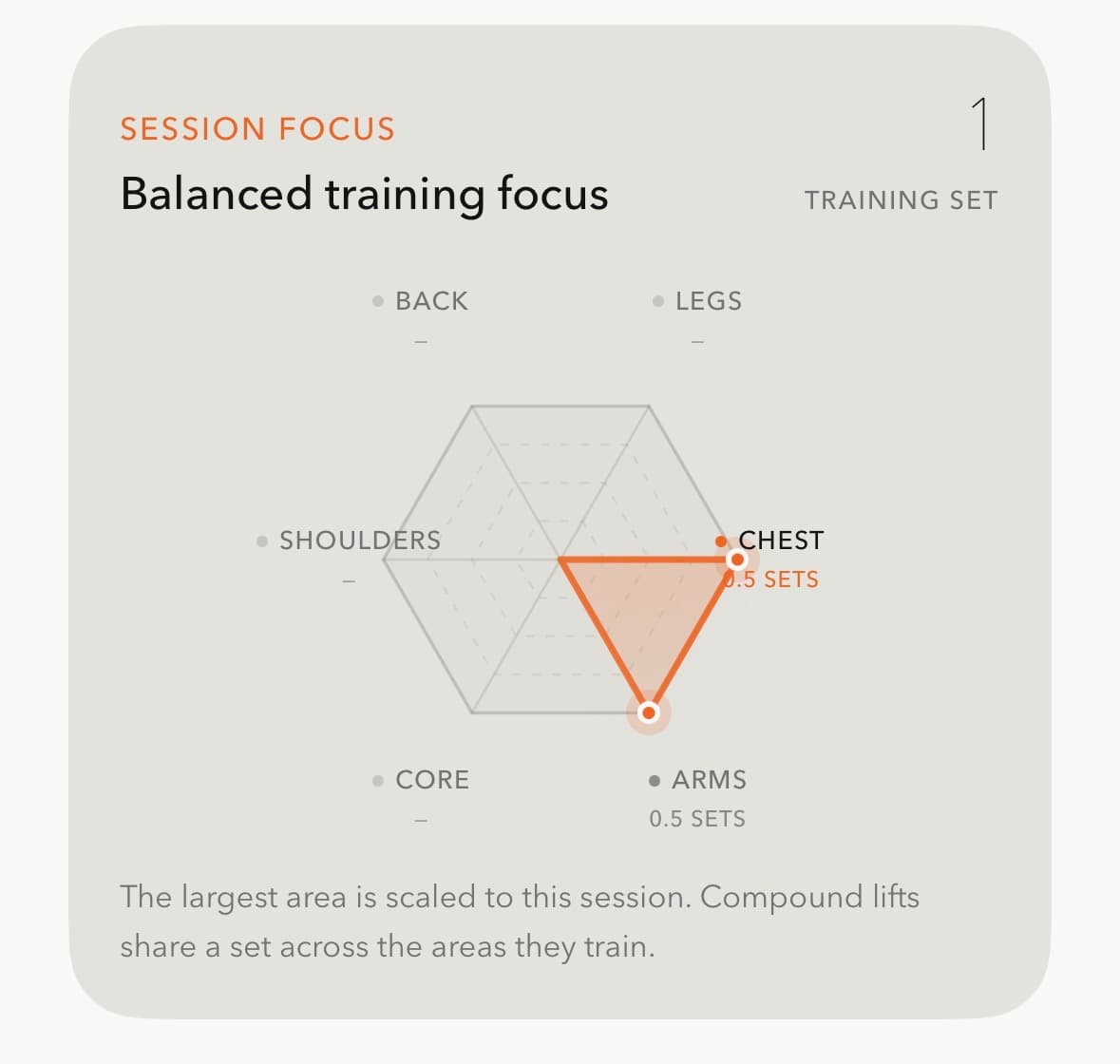
The share composer appears only after a real milestone—completed workout, streak, personal best, or weekly progress. I kept it intentionally constrained: someone chooses a story, can optionally add a gym photo, previews the result, and shares it.
That preserves the focus of the core logging flow while giving a person a polished artifact for motivation and word of mouth. It is not a feed, an image editor, or another competing destination in the app.
Story formats
Rendering and handoff
Architecture
I organized byOne around product domains rather than a single oversized view layer. That lets the product surface a focused screen while scheduling, metrics, persistence, and progression rules remain consistent underneath it.
Features
Onboarding
Plan-building decisions and the first-run experience
Dashboard
Daily workout, scheduling adjustments, streak, and recap
Gym Mode
Set logging, rest timing, recovery, and Live Activity
Analysis
Trends, personal records, and training summaries
Sharing
Story renderer, Instagram handoff, and native share sheet
History + Settings
Corrections, preferences, reminders, backup, and privacy
Domain
Training
Exercises, prescriptions, plans, and load progression
Scheduling
Calendar-aware workouts and training weeks
Progress
Completion records, metrics, persistence, and export
Profile
Lightweight local profile data
Technical decisions
The product was designed and built around a local-first model. Training data remains on-device, and its export, restore, and deletion flows give people a clear sense of control over the history they create.
01
Feature-level views kept the daily workout, Gym Mode, analysis, and sharing experiences responsive and easier to evolve without one oversized view layer.
02
Plans, scheduled workouts, logged sets, completions, and metrics are distinct types—not incidental UI state—so multiple features derive from one source of truth.
03
Primary data is stored in Application Support as JSON. Each write is atomic and retains the previous valid version as a recovery copy before replacement.
04
If a saved file cannot be decoded, byOne preserves it instead of silently replacing a person’s training history with an empty state.
05
People can export readable JSON, validate it before restore, and explicitly control whether it replaces local training data.
06
ActivityKit, local notifications, and Live Activities add session context when available without becoming prerequisites for training.
07
Share visuals are rendered with ImageRenderer at 1080 × 1920, avoiding the blurred exports that result from scaling a preview screenshot.
08
Instagram Stories receives a platform-specific handoff when installed; the native iOS share sheet supports every other destination.
byOne keeps the core training loop private and practical: no account is required to make a plan, log a workout, see progress, or recover their own data.
Privacy and user control
byOne is local-first: training data is not uploaded by the app and the privacy manifest does not include tracking. That decision shaped both the system architecture and the controls people see in the product.
The product makes the important actions explicit. Someone can correct saved workouts, export their data, validate a restore, delete individual records, delete all local data, or decide whether reminders are appropriate for them.
Review and amend saved workouts instead of treating the first log as permanent.
Schedule, workout history, custom exercises, templates, preferences, and setup notes are included in a versioned JSON export.
A backup is validated and confirmed before it can replace local data.
Individual history items and all local data have explicit destructive-action controls.
Local reminders remain permission-aware and optional.
The core training loop works without cloud upload or a social profile.
Correctness beyond the happy path
Workout data compounds over time: one logged set can influence a progression nudge, a trend, and a personal record. I treated the data model and edge conditions as product work, not as invisible implementation details.
Incomplete sessions remain as partial records instead of disappearing.
An interrupted session can resume without losing saved sets or the active exercise.
Automatic load increases are withheld after partial sessions or near-failure effort.
Schedule coverage extends forward without duplicating days or rewriting completed history.
Rest days are evaluated only inside the active plan window, and today does not break a streak before its planned workout happens.
Backup files are validated before any local data is replaced, and sharing falls back cleanly when Instagram is unavailable.
Automated coverage
Decision rules for when to increase, hold, or withhold recommended load.
Plan behavior, coverage, rest days, and calendar-aware future sessions.
Week calculations that remain correct at dates and plan transitions.
Workout prescriptions interpreted safely before they influence the session.
Process
01
I started with the repeat-use sequence: make a plan, know what to do today, log without friction, see evidence of progress, and return with better context.
02
Rest periods, locks, equipment changes, and schedule changes are expected gym conditions. That informed durable drafts, resume/discard states, flexible scheduling, and partial completion.
03
Completed workouts, exercise results, working sets, units, status, and timestamps were defined so recommendations and analytics could draw from the same record.
04
Each feature presents the next decision before advanced controls: today before planning, one exercise before an entire form, a summary before a detailed chart.
05
Atomic writes, recovery copies, validated restore, explicit destructive confirmations, and on-device export make data trust a product outcome—not hidden infrastructure.
06
The initial release established the complete training loop. A later sharing update adds celebration and distribution without compromising the tracker’s private, focused core.
byOne turns a personal plan into a focused session, a clearer record of progress, and the occasional win worth celebrating.